
Allow your customers to scan a QR code on a table and order food & drink using a modern customisable interface. They can send the order for approval if they want to pay with cash, or pay on their device and send the order directly to the kitchen. Whether the customer has a phone, tablet or laptop, the interface will be quick & responsive to the device.
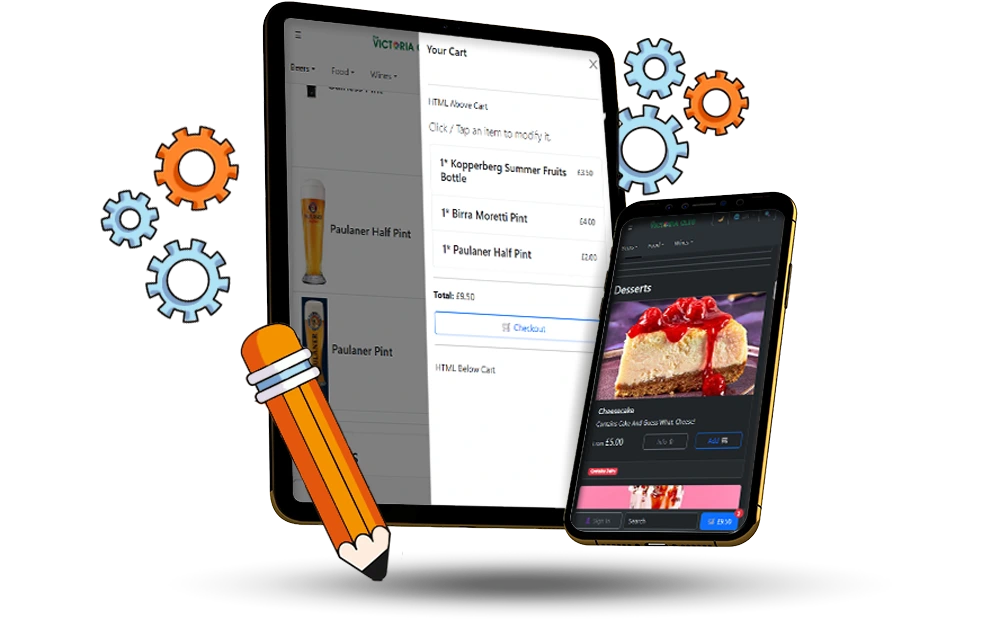
Navigation around the ordering process is available using either a top-down menu, and / or a sliding side menu.
Products can be shown in a list view or a card view manner. You can mix and match based on categories, so the food menu uses the card view whereas drinks use the list view.
Customers can also switch between light & dark mode.
Support for multiple templates, so different menus are available depending on which table they are sitting at.
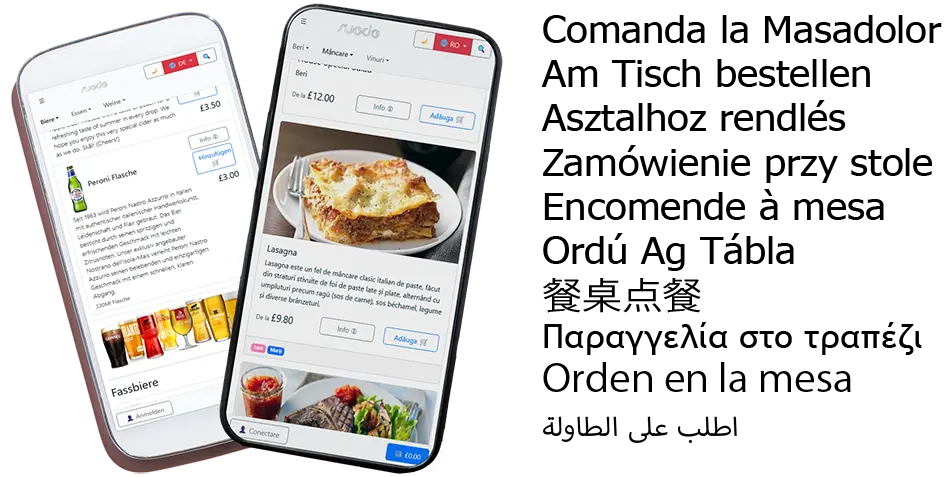
Providing the translations for a particular language are assigned for each product, the ordering web page can operate in different languages, allowing customers to buy items in their native tongue.
Each category and product can also have a different name and description to the standard EPOS version.
RTL and Eastern Languages Supported.

The ordering system can support all in-store offers and also specific prices when a customer is signed in.
Choose if customers can create new accounts when using the ordering feature, or if they can order as a guest.
Options / modifiers for products are also supported, meaning a customer can choose how they want to customise a particular item, and pay to upgrade it.
There are three choices for how a customer sends the order.
Once the order is complete, they can see the order and receive a receipt via email.